
Solar Inverter Price in Pakistan 2026: Best Options for Winter
October 13, 2026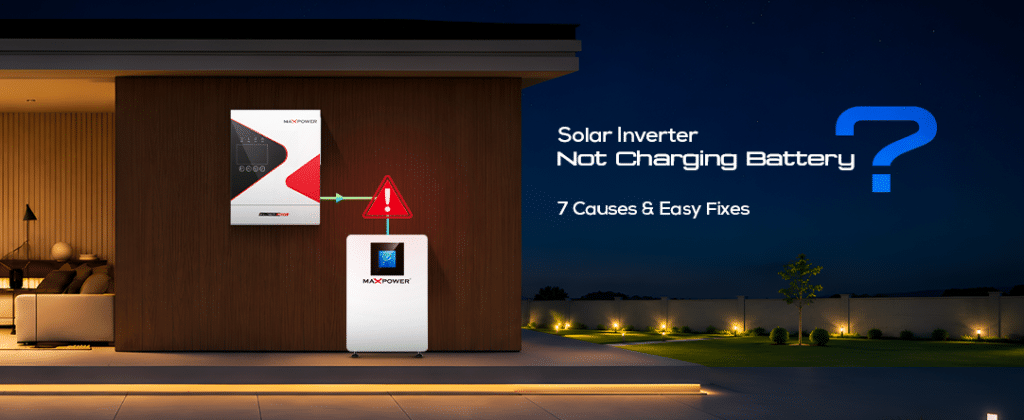
There is nothing more frustrating than seeing your solar panels generate electricity during the day while your battery remains uncharged. For Pakistani homeowners and businesses who depend on solar energy for backup power during load shedding and nighttime outages, an inverter that stops charging the battery can become a serious problem. However, a solar inverter not charging the battery does not always mean that the inverter or battery is damaged. In many cases, the issue is related to incorrect charging settings, insufficient solar power, loose connections, battery management system (BMS) errors, or overheating. Understanding these problems can help you identify the cause and avoid unnecessary repair or replacement costs. If you are exploring different solar inverter solutions for your installation, choosing compatible equipment and maintaining the system properly are equally important.
In this guide, we will explain the seven most common reasons why your solar inverter is not charging your battery in 2026, along with practical troubleshooting steps and possible solutions. Whether you use a lithium battery, tubular battery, or hybrid solar inverter, these tips will help you understand the problem, identify possible causes, and determine when professional assistance is needed.
How to Know Your Solar Inverter Is Not Charging the Battery
Before troubleshooting, it is important to confirm that your inverter is actually experiencing a charging problem. Sometimes, the inverter is working correctly, but household electricity consumption is higher than the available solar production. As a result, there may be little or no excess energy available to charge the battery.
Common signs of a charging problem include a battery percentage that remains unchanged throughout the day, zero battery charging current on the inverter display, repeated charging interruptions, or battery backup time becoming shorter than usual. Some inverters may also display a battery-related error code, BMS warning, or temperature alert. Check your inverter’s monitoring application or LCD screen for battery state of charge (SOC), charging current, solar production, household consumption, and active warning messages. You can also read our guide on solar battery backup systems to understand how battery storage works and what affects backup performance.
Cause 1: Incorrect Battery Type or Charging Settings
One of the most common reasons a solar inverter stops charging is incorrect battery configuration. Modern hybrid inverters support different battery technologies, including lead-acid, tubular, AGM, gel, and lithium iron phosphate (LiFePO4). Each battery type requires specific charging voltage, current limits, and charging profiles. For example, selecting a lead-acid profile for a lithium battery can cause charging problems, inaccurate battery readings, or communication errors.
Other settings, such as maximum charging current, charging priority, and battery cut-off voltage, can also affect charging performance. This is particularly important when upgrading from traditional lead-acid batteries to modern lithium-ion solar batteries, as the charging configuration must match the battery manufacturer’s specifications.
Open your inverter’s monitoring application or LCD control panel and check the battery configuration. Verify that the selected battery type matches the installed battery and that the charging current, voltage limits, and charging priority follow the manufacturer’s recommendations. If you are using a lithium battery, make sure the selected battery profile is compatible with its BMS. Avoid changing charging voltage or current settings randomly because incorrect configurations can damage the battery or reduce its lifespan. If you are unsure about the correct settings, ask your installer to verify them using the manufacturer’s manual.
Cause 2: Loose, Damaged, or Incorrect Battery Connections
Battery connections play an important role in transferring electricity between the inverter and battery bank. Loose terminals, damaged cables, corrosion, an open battery breaker, or incorrect polarity can interrupt the charging process. In Pakistan, high temperatures, dust, humidity, and poor installation practices can also contribute to connection problems over time.
Sometimes, the inverter may detect the battery but fail to transfer charging current because of a poor electrical connection. Damaged insulation or overheated cable terminals can also create additional safety risks. Incorrect cable sizing and poor installation practices can make these problems worse, particularly in larger solar installations.
Start by checking the inverter display for battery connection or communication warnings. Look for visible signs of damage around the battery and inverter, including loose external cables, corrosion around accessible terminals, melted cable insulation, or breaker warnings. Do not touch exposed electrical terminals, disconnect battery cables, or attempt to correct polarity while the system is energized. If you notice damaged cables, overheating, burning smells, or repeated breaker trips, stop using the system and contact a qualified solar technician. Never bypass a fuse or breaker to restore charging. For more information, read our guide on common solar inverter installation mistakes in Pakistan.
Cause 3: Insufficient Solar Power or Low PV Input Voltage
Your solar panels may be producing electricity, but that does not necessarily mean enough power is available to charge your battery. Household appliances such as air conditioners, refrigerators, water pumps, and other heavy loads can consume most of the electricity generated during the day. In other situations, dirty solar panels, partial shading, damaged modules, or incorrect panel configurations can reduce solar production.
The inverter’s MPPT charge controller also requires the PV input voltage to remain within its specified operating range. If the voltage falls below the required level, the inverter may not charge the battery properly, even when some solar generation is visible on the display. Weather conditions, seasonal sunlight changes, and excessive household consumption can also affect the amount of electricity available for battery charging.
Check your inverter’s monitoring application to compare total solar power generation, household electricity consumption, battery charging power, and PV input voltage. If household consumption is higher than solar generation, reduce unnecessary loads or operate heavy appliances when more sunlight is available. Keep your solar panels clean and remove sources of shading where possible. If PV voltage is outside the inverter’s operating range, ask a qualified installer to inspect the panel configuration and individual strings. Never change series or parallel connections without checking the inverter’s maximum PV voltage and current specifications.
Cause 4: Inverter Overheating or Temperature Protection
High temperatures can affect solar inverter performance, particularly during Pakistan’s summer season. When an inverter becomes too hot, its internal protection system may reduce output or temporarily stop certain operations, including battery charging. Poor ventilation, direct sunlight, blocked cooling fans, and enclosed installation spaces can increase the risk of overheating.
Battery temperature can also affect charging performance. Lithium battery management systems may limit or stop charging when cell temperatures move outside their permitted operating range. This protection helps prevent damage to the battery and maintain safe operation.
Check the inverter’s monitoring application or LCD screen for temperature warnings. Make sure the inverter is installed in a shaded and ventilated location with sufficient airflow. Keep air vents clear of dust and obstructions, and ensure cooling fans are operating correctly. Avoid installing the inverter inside an enclosed metal cabinet without suitable ventilation. Also check battery temperature through the supported monitoring application. If the inverter or battery repeatedly displays temperature warnings, contact your installer to inspect the installation and cooling system.
Cause 5: Battery Management System (BMS) Communication Failure
Lithium batteries use a Battery Management System (BMS) to monitor cell voltage, temperature, charging current, and overall battery safety. The BMS communicates with the solar inverter through supported communication protocols such as CAN or RS485. If communication fails, the inverter may not receive the correct battery information. It may also stop charging because the BMS is not allowing charging current.
Common reasons include damaged communication cables, incorrect battery selection in inverter settings, unsupported inverter and battery combinations, incorrect communication protocols, battery temperature or voltage protection, and incompatible firmware versions. A communication problem can also prevent the inverter from displaying the correct battery percentage or charging status.
Check the inverter’s monitoring application for BMS communication errors or battery-related warnings. Verify that the battery is switched on and recognized by the inverter, the selected battery model is compatible, and the correct communication port and cable are being used. Some lithium battery systems require specific communication cables and pin configurations. A standard network cable may not work with every inverter and battery combination. If the communication problem continues, contact your battery supplier or authorized technician. Do not bypass BMS protection or switch to an unsupported charging mode to force the battery to charge. You can also explore our lithium battery maintenance guide for additional information about battery care and performance.
Cause 6: Inverter Firmware or Software Issues
Modern solar inverters use firmware to manage battery charging, MPPT performance, grid interaction, and system protection. An outdated firmware version, software bug, or compatibility issue between the inverter and battery can sometimes interrupt normal charging operations. This problem may appear after a firmware update, battery replacement, or system configuration change.
In some cases, the inverter may continue generating solar electricity but fail to communicate correctly with the battery or follow the required charging profile. Compatibility problems between older inverter models and newer lithium batteries can also affect normal operation.
Check the inverter’s current firmware version through its official monitoring application. Visit the manufacturer’s website or contact its technical support team to check whether an approved update is available. Confirm compatibility between the inverter and battery firmware before making changes. Only install firmware approved for your exact inverter model. Never interrupt the power supply during a firmware update because doing so may damage the system software. If you are unfamiliar with the process, ask an authorized technician to perform the update.
Cause 7: Faulty MPPT Controller, DC Fuse, or Internal Charging Circuit
If all the previous checks are normal but your battery still does not charge, the problem may involve an internal inverter component. Possible hardware issues include a failed MPPT charge controller, damaged internal charging circuit, blown DC fuse, damaged power components, or electrical damage caused by a surge or lightning strike.
These faults can prevent the inverter from transferring solar energy into the battery even when the panels are producing electricity. Internal charging failures are more difficult to diagnose and usually require professional inspection. If your system is also showing repeated inverter warnings, you may find our guide on signs your solar inverter or battery needs upgrading helpful.
Check the inverter display for hardware-related fault codes and record the error message. If the inverter is still under warranty, contact the manufacturer or authorized service center. A qualified technician can inspect the charging circuit, MPPT controller, protective components, and internal connections. Do not open the inverter or attempt to replace internal fuses and electronic components yourself. Solar DC systems can retain dangerous electrical voltages even after the equipment is switched off. Depending on the extent of the damage, repairing the charging circuit may be more economical than replacing the complete inverter.
Quick Troubleshooting Checklist Before Calling a Technician
Before arranging a service visit, review your inverter settings, solar production, battery condition, and monitoring application. First, confirm that the battery type and charging settings match the manufacturer’s recommendations. Next, check whether your solar panels are generating enough electricity to support household consumption and battery charging. Review the PV input voltage, battery charging current, and battery percentage to identify unusual readings.
You should also check the inverter display for active fault codes, BMS communication errors, temperature warnings, and other protection messages. If your inverter supports grid charging, a qualified technician can check whether the battery charges from the grid to help identify whether the problem is related to solar input or the wider charging system. Finally, make sure the inverter has proper ventilation and that there are no visible signs of external cable damage. Do not perform electrical measurements or disconnect live connections unless you are qualified to do so.
Prevention Tips to Avoid Future Solar Battery Charging Problems
Preventing charging problems is easier and more affordable than dealing with an unexpected system failure. Arrange an inspection with a qualified solar technician at least once a year to check cables, battery connections, inverter performance, and system protection devices. Regular maintenance can help identify small issues before they affect the complete solar installation.
Keep your solar panels clean because dust, bird droppings, and other debris can reduce solar production. Monitor battery percentage, charging current, temperature, and warning messages through your inverter’s monitoring application. Install your inverter in a shaded location with sufficient airflow, particularly in areas where summer temperatures become extremely high.
Always select batteries that are compatible with your inverter and check communication compatibility, voltage, and charging specifications before installation. Make sure your solar panel capacity, inverter rating, battery bank, and household electricity consumption are properly balanced. Follow the manufacturer’s recommendations for charging limits, firmware versions, and maintenance procedures to improve battery performance and reduce unexpected charging problems. For additional guidance, read our article on how to calculate lithium battery backup time, which explains how battery capacity and household electricity consumption affect backup performance.
Frequently Asked Questions
Why is my solar inverter not charging my battery even though the panels are working?
This can happen because household appliances are consuming most of the solar electricity, battery charging settings are incorrect, PV input voltage is insufficient, or the battery management system is preventing charging. Check your inverter’s monitoring application to compare solar generation, household consumption, and battery charging current.
Can dirty solar panels stop my battery from charging?
Yes. Heavy dust, dirt, bird droppings, and shading can reduce solar production. If the available PV voltage or power falls below the inverter’s charging requirements, battery charging may become slow or stop. Cleaning your solar panels regularly can help maintain their performance.
Why is my lithium battery not charging from the solar inverter?
Common reasons include BMS communication failure, incorrect battery configuration, temperature protection, incompatible firmware, or a battery breaker issue. Check the battery monitoring application for active warnings and confirm that your inverter supports your battery model.
Can an inverter charge a battery without solar panels?
Yes, if the inverter supports grid or generator charging and the relevant charging settings are enabled. The battery can then receive electricity from an alternative supported power source. Charging availability depends on your inverter model and system configuration.
How do I know if my solar battery is damaged?
Reduced backup time, unexpected battery percentage changes, repeated BMS errors, and charging interruptions can indicate battery problems. However, these symptoms do not always mean the battery is damaged. A professional battery health assessment can help identify the actual issue.
Does extreme heat affect solar battery charging?
Yes. Excessive battery temperature can cause the BMS to limit or stop charging to protect the cells. Proper installation, ventilation, and temperature monitoring are important, particularly during Pakistan’s summer season.
Should I repair or replace my solar inverter if it stops charging?
It depends on the fault, inverter age, warranty status, and repair cost. Minor connection or configuration issues may be inexpensive to resolve, while a damaged MPPT controller or internal charging circuit may require professional repair or replacement. Always request a proper diagnosis before deciding to replace the complete inverter.
Conclusion
A solar inverter that is not charging the battery can be frustrating, especially when you depend on solar energy for backup electricity during load shedding. However, the problem does not always require an expensive inverter or battery replacement. Incorrect battery settings, insufficient solar production, loose connections, overheating, BMS communication errors, firmware problems, and internal hardware faults are among the most common causes.
By monitoring your solar system regularly and following the troubleshooting steps in this guide, you can identify potential problems early, maintain battery performance, and improve the reliability of your solar installation. If the problem continues after basic checks, contact a qualified solar technician for proper diagnosis. Avoid attempting internal electrical repairs or bypassing battery protection systems.
A properly configured and maintained solar system can provide reliable performance, better battery life, and dependable backup power for years.